Home Blog Page 4

Introducing querySelector and querySelectorAll

0

Comparing with getElementById, getElementByName,… querySelector and querySelectorAll are newcomers but soon become popular regarding their conveniences and consistent of using.

How to use querySelector and querySelectorAll?

With querySelector we can use the same selector notation with CSS, as it makes thing more consistent when working with CSS and DOM, the two that are essential knowledge for web developing.

document.querySelector('body') // select the body tag
document.querySelector('#id1') // select an element that have id="id1"
document.querySelectorAll('.class1') //select all element that have class="class1"
document.querySelectorAll("input[type='text']") //select all input element have type="text"

Using querySelector:

querySelector returns the only or the first element that is selected. It’s usually used to select an element by id since it should be used uniquely for a specific element in your whole HTML file.

In case that you use querySelector to select element by tag name, class,… it will return the first element in the list.

document.querySelector('#id1') // return the only element that have id="id1" 
document.querySelector('.class1') // return the first element have class name of ".class1"

Using querySelectorAll:

querySelectorAll returns a list of elements that have the same tag name, class name,… that you put in as the parameter. Even if you pass in an id, it still returns a list with a single element inside.

document.querySelectorAll('body')[0].style.backgroundColor = 'red'
//access the style property of body tag then change background color to red.

As far as we know, there’s only one body tag in HTML document, but if we select it using querySelectorAll, we still need to provide an index. The list that is returned in the code above is a list with a single element, therefore, the index of that element must be 0.

Since querySelectorAll returns a list which is similar to the array, we can use the index or for loop to access the element.

var requiredInput = document.querySelectorAll("input[type='text']");

for (var i = 0; i < requiredInput.length; i++) {
 if (requiredInput[i].value === '') alert("This field can't be empty")
 }

Hope this post provides you enough interest to use querySelector and querySelectorAll next time you work on DOM manipulation.

Working with array in JavaScript

0

arr1.splice(2,0, 3,4)Unlike Java, an array in JavaScript don’t need to be fixed in size. You don’t have to give it a length when declaring and it can be extended as long as you want. The data type of elements inside an array, also, don’t need to be in the same types. You can put every kind of data into one array.

Declaring an Array in JavaScript

As easy as you can imagine, to make a new array in JavaScript below is a common way:

var arr = [1,2,"a", "b",[1,2,3],{name: "Tom"}]

The array above holds various datatype: number, string, array, object. You can access the element using its index, which starts from 0 in the array.

arr[0]
//1
arr[5]
//{name: "Tom"}
arr[4]
//(3) [1, 2, 3]
arr[4][0]
//1

Adding an element to the array

JavaScript is a flexible language, and it allows you to add a new element to the array either in the front or at the end of it.

  • .push() to add a new element at the end of the array
arr.push("new end")
//[1, 2, "a", "b", Array(3), {…}, "new end"]
  • To add a new element in the front we use unshift()
arr.unshift("new front")
// ["new front", 1, 2, "a", "b", Array(3), {…}, "new end"]

removing elements in the array

Removing an element in the array can be applied to both edges in Javascript.

  • To remove the last element we can use pop():
arr.pop()
//"new end" will be removed
// ["new front", 1, 2, "a", "b", Array(3), {…}]
  • The first element will be removed using shift()
arr.shift()
//"new front" will be removed
//[1, 2, "a", "b", Array(3), {…}]

Looping through array

Every array have its own length property to let us know how many elements are currently stored inside. So the index of the last item will be equals to array.length - 1

for (var i = 0; i < arr.length; i++) 
{ console.log(arr[i])}
// 1
// 2
// a
// b
// [1, 2, 3]
// {name: "Tom"}

Sorting an array

JavaScript provides the built-in sort() method for the Array. By default when using this method, the order will be according to string Unicode code points.

arr.sort()
// [1, Array(3), 2, {…}, "a", "b"]

Using splice() to remove or add new elements at a specific position.

splice() is a special method as you can do some different things with it.

arr1 = [1,2,3,4,5,6,7,8] // make new array name arr1
arr1.splice(2,2)
// [1, 2, 5, 6, 7, 8]

arr1.splice() takes 2 parameters, first one is the index to start, the second one is the number of elements will be taken out. As you can see, we will take out 2 items at the index of 2.

arr1.splice(2,0, 3,4)
//[1, 2, 3, 4, 5, 6, 7, 8]

This time, there are more than 2 parameters that passed in splice() method. So, after the first two, the rest of the parameters is the new elements that we want to add to the array. arr1.splice(2,0, 3,4)  start from the index of 2 and take out 0 item, then add 3  and 4 at the index of 2, and 3 and push the current elements from two forward 2 indexes.

arr2 = arr1.splice(0,3)
arr1 // [4, 5, 6, 7, 8]
arr2 // [1, 2, 3]

The code above we make new array arr2 by taking out 3 first elements of arr1. Therefore, the array arr1 now have 5 elements left. And arr2 have 3 elements.

slice() method to copy an array

arr1 = [1,2,3,4,5,6]

arr2 = arr1. slice(3)

arr2 //[4, 5, 6]
arr1//[1,2,3,4,5,6]

slice() method will return a new array if you pass only 1 parameter that is the starting point, and it will copy from there to the end of the array. arr2 = arr1. slice(3) will make a new array of arr2 that contains the element at the index of 3 to the end of array arr1.

arr1 = [1, 2, 3, 4, 5, 6]
arr2 = arr1.slice(2,4)

arr1 //[1, 2, 3, 4, 5, 6]
arr2 // [3, 4]

This time we provided 2 parameters. arr2 = arr1.slice(2,4) will make a new array of arr2 that contains the elements from the index of 2 and stop in front of the index of 4 in the array arr1.

What are the difference between slice() and splice()

The main difference here is slice doesn’t affect the original array while splice() does. So next time, you must consider when using slice() or splice because if you accidentally make some change in the original array can cause some problem in your program.

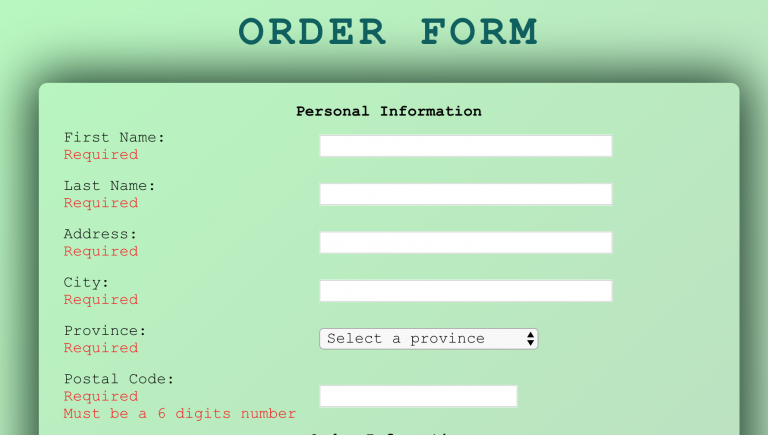
Free Lecture: Understanding DOM manipulation – How to validate a form

0

This is a practical lecture, everything is built on practicing. So, please bring your laptop along.

In this lecture I will help you to understand the DOM structure, DOM manipulation, selecting element, validating the value in a form.

Since I will use a Form that similar to the lab 7 of Web Programming class. I hope this will help you have some ideas to finish it on your owns. The form will be provided later.

Lecture Outline:

  • Dom Structure
  • Selecting element with Id, tag name, class…
  • Validating the value of the elements
  • Appending the HTML elements
  • Inserting and removing the HTML elements in the DOM.

Requirement:

Please read all the slide in class, have yourself some basic knowledge about DOM, JavaScript so that I don’t have to explain simple things and save time for everybody.

Room and time: Algonquin College – A Building – Meeting Room A-118B  from 4-6 PM  – 30 Oct 2018

index

Overriding equals() method in Java

0

Comparing is something that you would do a lot in programming. It’s easy in Java to compare primitive variable using double equals sign “==”. However, it requires a little bit of work when you want to compare the reference variable or objects to objects.

In this particular article, let’s see how we should override the equals() method in Class, therefore we’ll be able to compare two objects that initiated from the same class.

Where does the equals() method come from?

Whenever you create a brand new class even you don’t define the equals() method inside that class, the object that initiated from the class still can call the equals() method.

package com.samderlust;

public class Patient {
    private String firstName;
    private String lastName;
    private int healthCardNumber;

    public Patient(){
        this("unknown", "unknown", -1);
    }

    public Patient(String firstName, String lastName, int healthCardNumber) {
        this.firstName = firstName;
        this.lastName = lastName;
        this.healthCardNumber = healthCardNumber;
    }

    public static void main(String[] args) {
        Patient p1 = new Patient();
        p1.equals(p1);
    }
}
// true

The equals() method here doesn’t come from magic. It is inherited from the class Object. In Java, the Object class is the “God Father of all classes”. It means, all the classes you create in your program are children, grandchildren,… of this Object Class. In other words, every class that you create can have access to the equals() method.

“Class Object is the root of the class hierarchy. Every class has Object as a superclass. All objects, including arrays, implement the methods of this class.” – Oracle

How does the equals() method work?

The snippet above gives us a class of Patient with 3 attributes: firstName, lastName, and healthCardNumber. What we expect when compare 2 instances p1 and p2 are it will compare each attribute to make sure these 2 objects are similar. It’s easy to tell that the output of  p1.equals(p1) is true as p1 and p1 is the exact same thing. But let’s see the example below:

public static void main(String[] args) {
    Patient p1 = new Patient();
    Patient p2 = new Patient();
    Patient p3 = new Patient("Michel", "Jaction", 123);

    System.out.println(p1.equals(p1));
    System.out.println(p1.equals(p2));
    System.out.println(p1.equals(p3));
}
//output
true
false
false

Oops, what happened? Why p1.equals(p2) return false while they have the same values in 3 attributes? You may have the same question, right?

“The equals method for class Object implements the most discriminating possible equivalence relation on objects; that is, for any non-null reference values x and y, this method returns true if and only if x and y refer to the same object (x == y has the value true).” — Oracle

We can have the same output with the code below:

System.out.println(p1 == p1); // true
System.out.println(p1 == p2); // false
System.out.println(p1 == p3); // false
// This is the equals method in Object class.
public boolean equals(Object obj) {
        return (this == obj);
}

Obviously, the original equals() just return true if 2 objects have the same values and memory location. That’s why the only true comparison is the first one.  Let’s override the equals() method in Patient class so that we can get the result that we expect.

Overriding equals() method in a class.

1.Checking if any object we pass in this method is null or not if null return null and don’t care about the rest of the code.

Whenever the method hit return keyword, it returns and stops executing.

2. Checking if the object that we pass in is an instance of Patient class (respectively for other class). If it not, return false.

3. Creating a new object from Patient class, and assign it to the object obj that we pass in the method. Since we pass in an object with the datatype of Object, we should cast it into the specific datatype/object type we want to compare, in this case, (Patient). Therefore, it can access the attributes of the Patient class.

4. Comparing each field of the current object with the one we pass into. It returns a boolean value: true if all the comparisons are true, false if any is false

After overriding equals method, we get the result as below:

System.out.println(p1.equals(p1)); // true
System.out.println(p1.equals(p2)); // true
System.out.println(p1.equals(p3)); // false

How this.firstName.equals(patient.firstName) work inside the override equals() method?

Thanks to Polymorphism, the same method can execute in different ways depends on the situation. Read more about polymorphism here.

Overriding equals() method in a subclass.

This time, we create a new subclass of Patient and also override the equals() method.

public class OutPatient extends Patient {
    private double distanceFromClinic;
    private boolean mobility;

    public OutPatient(String firstName, String lastName, int healthCardNumber,
                      double distanceFromClinic, boolean mobility) {
        super(firstName, lastName, healthCardNumber);
        this.distanceFromClinic = distanceFromClinic;
        this.mobility = mobility;
    }

      @Override
    public boolean equals(Object o) {
        if (this == o) return true;//1
        if (o == null || getClass() != o.getClass()) return false;//2
        if (!super.equals(o)) return false;//3
        OutPatient that = (OutPatient) o;//4
        //5
        return Double.compare(that.distanceFromClinic, distanceFromClinic) == 0 &&
                mobility == that.mobility;
    }

    @Override
    public int hashCode() {

        return Objects.hash(distanceFromClinic, mobility);
    }
}

It’s almost the same with what we write in the superclass. The thing to notice here is line 3

if  (!super.equals(obj)) return false;

We need to check if the  2 objects we want to compare have similar 3 attributes in term of the superclass (firstName, lastName, and healthCardNumber) since they’re declared there.

Only after then, we go on to check the 2 attributes: istanceFromClinic and mobility that are declared in the OutPatient subclass.

Click to see the source code

public class Patient {
    private String firstName;
    private String lastName;
    private int healthCardNumber;

    public Patient(){
        this("unknown", "unknown", -1);
    }

    public Patient(String firstName, String lastName, int healthCardNumber) {
        this.firstName = firstName;
        this.lastName = lastName;
        this.healthCardNumber = healthCardNumber;
    }

    @Override
    public boolean equals(Object o) {
        if (this == o) return true; //1
        if (o == null || getClass() != o.getClass()) return false; //2
        Patient patient = (Patient) o;//3
        //4
        return healthCardNumber == patient.healthCardNumber &&
                Objects.equals(firstName, patient.firstName) &&
                Objects.equals(lastName, patient.lastName);
    }

    @Override
    public int hashCode() {

        return Objects.hash(firstName, lastName, healthCardNumber);
    }

    public static void main(String[] args) {
        Patient p1 = new Patient();
        Patient p2 = new OutPatient();
        Patient p3 = new Patient("Michel", "Jaction", 123);


        System.out.println(p1.equals(p1));
        System.out.println(p2.equals(p2));
        System.out.println(p1.equals(p3));

        System.out.println(p1 == p1);
        System.out.println(p1 == p2);
        System.out.println(p1 == p3);
    }
}

import java.util.Objects;

public class OutPatient extends Patient {
    private double distanceFromClinic;
    private boolean mobility;

    public OutPatient() {
        super();
        this.distanceFromClinic = 10;
        this.mobility = false;
    }

    public OutPatient(String firstName, String lastName, int healthCardNumber,
                      double distanceFromClinic, boolean mobility) {
        super(firstName, lastName, healthCardNumber);
        this.distanceFromClinic = distanceFromClinic;
        this.mobility = mobility;
    }

    @Override
    public boolean equals(Object o) {
        if (this == o) return true;//1
        if (o == null || getClass() != o.getClass()) return false;//2
        if (!super.equals(o)) return false;//3
        OutPatient that = (OutPatient) o;//4
        //5
        return Double.compare(that.distanceFromClinic, distanceFromClinic) == 0 &&
                mobility == that.mobility;
    }

    @Override
    public int hashCode() {

        return Objects.hash(super.hashCode(), distanceFromClinic, mobility);
    }
}

What is polymorphism in Java object oriented programming?

2

“The dictionary definition of polymorphism refers to a principle in biology in which an organism or species can have many different forms or stages. This principle can also be applied to object-oriented programming and languages like the Java language. Subclasses of a class can define their own unique behaviors and yet share some of the same functionality of the parent class.” – Oracle

What is polymorphism in Java object-oriented programming?

Sometimes, the terminology, make thing abstruse than it really is…

Basically, polymorphism allows a method of a class works in different ways depends on which sub-class the object initiated from.

To understand, we will consider an example that I called “What does the fox say”:

First, we define a superclass Animal. Every animal species have its own name and sound.

class Animal {
    private String name;

    public Animal(String name) {
        this.name = name;
    }

    public String saySomething() {
        return "remain unknown";
    }

    public String getName() {
        return name;
    }
}

Now, we will make some subclasses that extend from that superclass, in other words, to define other species bases on the attributes and behaviors of all kind of animal.

Polymorphism example:

class Cat extends Animal {
    public Cat(String name) {
        super(name);
    }

    public String saySomething() {
        return "Meow meow";
    }
}

class Dog extends Animal {
    public Dog (String name) {
        super(name);
    }

    @Override
    public String saySomething() {
        return "Woof woof";
    }
}


class Fox extends Animal {
    public Fox(String name) {
        super(name);
    }
}
Dog goes "woof"
Cat goes "meow"

Everyone knows it, right. That’s why we can re-defined the saySomething() method and return what those animal say.

But there's one sound
That no one knows
What does the fox say?

Sadly, no one knows what the fox says, so I can’t re-defined the method saySomething().

How Polymorphism works

Let’s initiate the real object of those subclass of Animal and see how Polymorphism works

public static void main(String[] args) {
    Animal cat = new Cat("Tom");
    Animal dog = new Dog("Scoppy Do");
    Animal fox = new Fox("MR. Fox");


    System.out.println(nameAndSay(cat));
    System.out.println(nameAndSay(dog));
    System.out.println(nameAndSay(fox));
}

public static String nameAndSay(Animal animal){
    return animal.getName() + " say : "+ animal.saySomething();
}

Output:

Tom say : Meow meow
Scoppy Do say : Woof woof
MR. Fox say : remain unknown

As you can see, we call the same method saySomething() for each of the 3 instances and each of them will have distinct responses for the same behavior base on the re-defined method that we make inside subclass.

Or, that behavior of Animal will be different from species to species.

Since nobody has ever heard the fox say, the class Fox inherited the method saySomething() from the superclass of Animal. Thus, return “remain unknown”.

One of the advantages of Polymorphism is you don’t have to define so many method name for the same behavior such as: catSaySomething(), dogSaySomething(), cowSaySomething(), foxWontSayAnything().

“The Java virtual machine (JVM) calls the appropriate method for the object that is referred to in each variable. It does not call the method that is defined by the variable’s type. This behavior is referred to as virtual method invocation and demonstrates an aspect of the important polymorphism features in the Java language.” —  Oracle


Click for source codes
public class Poly {

    public static void main(String[] args) {
        Animal cat = new Cat("Tom");
        Animal dog = new Dog("Scoppy Do");
        Animal fox = new Fox("MR. Fox");


        System.out.println(nameAndSay(cat));
        System.out.println(nameAndSay(dog));
        System.out.println(nameAndSay(fox));
    }

    public static String nameAndSay(Animal animal){
        return animal.getName() + " say : "+ animal.saySomething();
    }


}
class Animal {
    private String name;

    public Animal(String name) {
        this.name = name;
    }

    public String saySomething() {
        return "remain unknown";
    }

    public String getName() {
        return name;
    }
}

class Cat extends Animal {
    public Cat(String name) {
        super(name);
    }

    public String saySomething() {
        return "Meow meow";
    }
}

class Dog extends Animal {
    public Dog (String name) {
        super(name);
    }

    @Override
    public String saySomething() {
        return "Woof woof";
    }
}


class Fox extends Animal {
    public Fox(String name) {
        super(name);
    }
}


getElementByID and getElementsByTagName in DOM manipulation

0

DOM manipulation is a skill set that every web developer must know about. With DOM manipulation, we can access the DOM and change the content or structure of the DOM and thus, make the web dynamic.

The topic today will focus on selecting the elements in DOM by using getElementByID() and getElementsByTagName(). What is the difference between those two and what is the case for each specific one? Let’s have a look.

Selecting and manipulating the DOM

Template HTML

<body>
 <p id="p1">this is the line 1</p>
 <p>this is the line 2</p>
 <p>this is the line 3</p>
 <p>this is the line 4</p>
 <p>this is the line 5</p>
</body>

In this post, we will use the HTML snippet above for manipulation.

Using getElementByID()

The name of the method has told you what it’s used for. To get an element in DOM tree by the id of that element. When you writing HTML, ID is something unique and should be assigned for only one element/tag for the whole HTML file. If you accidentally or intentionally assign the same ID to more than one element the DOM will get the first one.

Now, you know that getElementByID() will return a single element that has the ID we pass inside the parentheses.

<script>
    var p1 = document.getElementById("p1");
    p1.innerHTML = "the text has change"
</script>

As “p1” is the id of the first p tag, the precedent codes change the text of it.

innerHTML will change the text inside the opening tag and closing tag

Using getElementsByTagName()

When we use this method, we will select all the elements that have the same tag name with the one we pass inside the parentheses. Let’s try this code.

var p = document.getElementsByTagName("p")

We declare a variable p and assign to it whatever the method document.getElementsByTagName(“p”) return. In this case, that method will return a whole list of all the elements of p tag. The list is something similar to an array in JavaScript so that we can use for loop to access every single element inside the list and manipulate it.

for (var i = 0; i < p.length; i++) {
    p[i].innerHTML = "Text of line " + (i + 1) + "has change"
}

or you can access to a specific element in the list using the index:

p[1].innerHTML = "This text has changed again"

There are so many DOM methods and attributes that help you to manipulate the DOM, not just innerHTML. With DOM manipulation, you can change the append or structure of the DOM, add or remove HTML, change the style of elements.

The most important thing in DOM manipulation is you can set event listener and event handler for the elements so that you can make the button, a form, or any element in the web work the way you want.

We will discuss more about DOM manipulation later


Click to see the source code
<!DOCTYPE html>
<html lang="en">

<head>
    <meta charset="UTF-8">
    <meta name="viewport" content="width=device-width, initial-scale=1.0">
    <meta http-equiv="X-UA-Compatible" content="ie=edge">
    <title>Document</title>
</head>

<body>
<p id="p1">this is the line 1</p>
<p id="p1">this is the line 2</p>
<p id="p1">this is the line 3</p>
<p>this is the line 4</p>
<p>this is the line 5</p>

<script>
    var p1 = document.getElementById("p1");
    p1.innerHTML = "the text has change"

    var p = document.getElementsByTagName("p")

    for (var i = 0; i < p.length; i++) {
        p[i].innerHTML = "Text of line " + (i + 1) + " has change"
    }

    p[1].innerHTML = "This text has changed again"
</script>
</body>

</html>


A quick look at Inheritance in Java Object Oriented Programming

1

Object-Oriented Programming (OOP) is something that you should hear about it as soon as you learn Java. This concept of programming has been making a lot of beginners turn their back and walk away from writing code.

For those who got to this far, let’s see what is Inheritance is in OOP and How it helps us programming.

Inheritance in Java Object Oriented Programming

Consider what is an object in Java programming

In an attempt to pull programming closer to the real-life object which helps programmer easily to structure their code. The concept of OOP is created.

A real-life object will have some kind of attributes and behaviors, for example, we walk into a hospital and observe. There are a lot of patients with different status. But they share something in common: first name, last name, have a health card number and need to provide the health card number to the doctor. So that we have a class of Patient with attributes: firstName, lastName,  healthCardNumber and a behavior of provideHealthNumber();

package com.samderlust;

public class Patient {
    private String firstName;
    private String lastName;
    private int healthCardNumber;

    public Patient(){
        this("unknown", "unknown", -1);
    }

    public Patient(String firstName, String lastName, int healthCardNumber) {
        this.firstName = firstName;
        this.lastName = lastName;
        this.healthCardNumber = healthCardNumber;
    }
    
    public String provideHealthNumber() {
        return "Health Card Number " + healthCardNumber;
    }
}

Then, we have some patients who stay outside of the hospital, another group of patients is in Maternity. Those can be separate into two new class but they still share the common attributes and behavior with the class Patient. Should we write new whole classes for those? Of course No. That where we use inheritance, thus a class will inheritance attributes and behavior or more precise, variables and methods from another.

Extending from superclass

In Java, to make a class inherit from another class, we use keyword “extends“.

public class OutPatient extends Patient {
    private double distanceFromClinic;
    private boolean mobility;

    public OutPatient(String firstName, String lastName, int healthCardNumber, 
                      double distanceFromClinic, boolean mobility) {
        super(firstName, lastName, healthCardNumber);
        this.distanceFromClinic = distanceFromClinic;
        this.mobility = mobility;
    }
}

OutPatient is extended from Patient, for that we call Patient is the superclass and OutPatient is the sub-class. This sub-class can contain its own new variables and methods that fit the need of it.

The super keyword

In the precedent code, we see the keyword super in the constructor function of the sub-class. The super keyword here refer or chain to the constructor function in its superclass (Patient). This is another kind of chaining constructor from sub-class to the superclass.

Inheritance of attributes and methods

With those things in place, an object that initiated from OutPatient class have 5 attributes and 1 method.

public static void main(String[] args) {
    OutPatient justin = new OutPatient("Justin", "Micheal", 123, 10, false);
}

All the variable of the new object initiated from OutPatient class

That means, now you can call the method provideHealthNumber() that you defined in the superclass Patient inside an object that created from the sub-class OutPatient.

System.out.println(justin.provideHealthNumber());
// Health Card Number 123

Override superclass’ method

But now, you want the method provideHealthNumber() for OutPatient class must have something to indicate that this is the health card number of an Out-patient, and it will be distinct from other kinds of patients. So, you can not just refactor the code of this method inside Patient class, because it will impact all of the others sub-class.

Java gives you a way to do this, override the method that inherited from the father.

@Override
public String provideHealthNumber() {
    return " Out Patient " + super.provideHealthNumber();
}

Now, we call the method provideHealthNumber from the object of OutPatient class and see the difference.

System.out.println(justin.provideHealthNumber());
// Out Patient Health Card Number 123

I will write another topic about override and overload function. Now, just give yourself some practice with Inheritance in Java.

Remember, inheritance is extending a sub-class from a superclass. It’s totally different from initiate an object from a class.


Chaining constructor function in Java. Why and How

1

You might hear about this term sometime, somewhere and now you trying to implement it in your code. But you couldn’t see what is the sense of using this method. This post may help you.

Consider the snippet below:

package com.samderlust;
public class Doctor {
    private String firstName;
    private String lastName;
    private String specialty;
    
    //constructor number 1
    public Doctor() {
        this.firstName = "Tom";
        this.lastName = "Jackson";
        this.specialty = "Psychology";
    }

    //constructor number 2
    public Doctor(String specialty) {
        this.firstName = "Tom";
        this.lastName = "Jackson";
        this.specialty = specialty;
    }
    
    //constructor number 3
    public Doctor(String firstName, String lastName) {
        this.firstName = firstName;
        this.lastName = lastName;
        this.specialty = "Psychology";
    }

    //constructor number 4
    public Doctor(String firstName, String lastName, String specialty) {
        this.firstName = firstName;
        this.lastName = lastName;
        this.specialty = specialty;
    }

    @Override
    public String toString() {
        return "Doctor{" +
                "firstName='" + firstName + '\'' +
                ", lastName='" + lastName + '\'' +
                ", specialty='" + specialty + '\'' +
                '}';
    }

    public static void main(String[] args) {
        Doctor tom = new Doctor(); //use constructor number 1
        Doctor justin = new Doctor("Justin", "Pepper"); //use constructor number 2
        Doctor tom2 = new Doctor("genneral"); //use constructor number 3
        Doctor valak = new Doctor("Valak", "Micheal", "Psychology"); //use constructor number 4
        System.out.println(tom);
        System.out.println(justin);
        System.out.println(tom2);
        System.out.println(valak);
    }
}

In the main method, we created 4 instances of the class Doctor by using 4 respective constructor function that we’ve defined in the class. After creating these instances, we print all of them to the console and the result is as below:

Doctor{firstName='Tom', lastName='Jackson', specialty='Psychology'}
Doctor{firstName='Justin', lastName='Pepper', specialty='Psychology'}
Doctor{firstName='Tom', lastName='Jackson', specialty='genneral'}
Doctor{firstName='Valak', lastName='Micheal', specialty='Psychology'}

Why using constructor chaining?

Now, if you take the time to look at all the constructor, there’are a lot of repeating code where we keep on doing the same thing of assigning the default values for the fields of the class. Imagine if you have a big class which has 20, 30 or 100 of fields inside it, it would be a mess if you writing the constructor this way.

In programming, if you repeat your code too many times, it’s not effective and makes your code looks so messy. The redundancy of code writing will make you lose some marks in the interview for sure.

How to chain the constructors?

Let’s refactor the code above by using constructor chaining.

//constructor number 1
public Doctor() {
    this("Tom", "Jackson", "Psychology");
}

//constructor number 2
public Doctor(String specialty) {
    this("Tom", "Jackson", specialty);
}

//constructor number 3
public Doctor(String firstName, String lastName) {
    this(firstName, lastName, "Psychology");
}

//constructor number 4
public Doctor(String firstName, String lastName, String specialty) {
    this.firstName = firstName;
    this.lastName = lastName;
    this.specialty = specialty;
}

Now, it looks cleaner and shorter. But what do I mean by calling it “constructor chaining”?

Doctor tom = new Doctor(); //use constructor number 1

In the precedent code, we using the constructor number 1, since the constructors is chained, the constructor 1 will call the constructor number 4 inside it, and pass the respective parameters.

//constructor number 1
public Doctor() {
    this("Tom", "Jackson", "Psychology");
}

Respectively, the code below used the constructor number 2 that accepts one parameter from outside which is the specialty. Two more default value for fistName and lastName are also passed inside of it.

Doctor justin = new Doctor("Justin", "Pepper"); //use constructor number 2

//constructor number 2
public Doctor(String specialty) {
    this("Tom", "Jackson", specialty);
}

This 2nd constructor is also chained to the 4th one so that it will pass in all the values with the respective order.

As you can see, the order of parameters in constructors number 1,2,3 have to be the same with the order in the 4th constructor. They do. Because all the first 3 constructors call the 4th one when you use them to initiate an instance.

Basically, by using constructor chaining, you call a constructor inside another constructor.

Now, your time to take practice.


Understanding the for each (Enhanced for loop) in Java

0
The normal for loop make you feel sick? You want to write your code that looks like a “pro” or want to show your friend a for loop that took them a while to understand or maybe never understand. Welcome to the Enhanced for loop aka for each.

Understanding the for each (Enhanced for loop) in Java

First, consider the original for loop:

int[] ints = new int[5];
for (int i = 0; i < ints.length; i++){
    ints[i] = i;
}

In the code snippet above, we create a new array of int with the length of 5. We then loop through the array and assign each element with the i.

Now let print the array using for loop again

for (int i = 0; i < ints.length; i++) {
    System.out.println(ints[i]);
}

0
1
2
3
4

In both cases, we assess the value of each element by the index of i.

So, whenever you want to loop through an array for doing something (add, remove, print, modify value) you always have to create a new variable “int i = 0”, then compare it to the length of the array, then add the “i” by one after each iteration. Such a great effort to make a simple task done.

Here come the Enhanced for loop

see the code first and I will explain later:

for (int i: ints) {
    System.out.println(i);
}

0
1
2
3
4

Great, we had the same output, with less of code and most important, it looks like “Pro”. But do you understand how it works?

This kind of for loop is also called for Each, means it will do something for each of element inside the array that you want to loop through.

Inside the parenthesis

  • First, you need to declare the datatype. This should be the same data type of the elements inside the array you want to iterate.
  • Second, you define the name of each element in each iteration.
  • Third, you put in the array you want to loop through.

So, more detail, in the first loop, the element ints[0] will be named as “i” and then we print it by the code inside for loop. Next loop the element ints[1] will be named as “i” again and print, so on and so forth.

How to use for Each with reference datatype.

You have an array of the Class Doctor and want to print the name of each doctor?

for (Doctor d : doctors) {
    System.out.printf(d.getName());
}

Inside the parenthesis, you declare the datatype is Doctor, the name of each element for each iteration is “d” and the array you want to loop is doctors

When should you use Enhanced for loop?

Remember, you can not use this kind of loop to initiate the value of element inside the array or add a new element to the array. The for Each only works when your array has something inside and you want to print out or modify each of the elements. That why it is called “for Each”. Do something for each element inside the array.

Getting to know Arraylist in Java

0

Since some of my classmates are struggling with Arraylist in their assignment. I would like to make some lines of word about this new savior for those who are tired of using the normal array in Java.

What is good about Arraylist?

It is not fixed size, which is so great when you don’t have to scratch your head to finger out how many elements that you should initial your array in Java.
With Arraylist, you can add as much element to it as you want.

Declare and define an Arraylist.

Suppose that you want to create an Arraylist of String:

public ArrayList<String> strings = new ArrayList<>();

where you should put Datatype inside <>;
Now you want to make an array of a Class of Doctor, which is a reference type, this is how you declare the ArrayList:

public ArrayList<Doctor> doctors;

and then you assign it to a new arraylist;

doctors = new ArrayList<>();

or in one line

public ArrayList<Doctor> doctors = new ArrayList<>();

Don’t forget to import the arraylist:

import java.util.ArrayList;

How ArrayList works with primitive datatype?

Arraylist basically doesn’t work with the primitive datatype, so that you can’t do something like this:

private ArrayList<int> ints;

To deal with primitive, you have to use what’s called wrapper.

private ArrayList<Integer> ints;

For each primitive, we have the respective wrapper. You can refer to here for all the wrapper: https://docs.oracle.com/javase/tutorial/java/data/autoboxing.html

To add an element to ArrayList.

It’s super easy to add an element to ArrayList when you look back on the normal array. You don’t have to deal with the index to add in ArrayList. All that you need to do is you the built-in method .add().

doctors.add(new Doctor());

That’s it.

To loop through arraylist:

You still you for loop for loop through the the array, but you can’t use .length here since it not a normal array. To get the size of the array, we use .size().

for (int i =0, i < doctors.size(), i++){
//your code here
}

Index in arraylist.

doctors[0] won’t work in this case as we’re using arraylist. To get the value of specific index we use .get(). This method needs one parameter which is an index with int type.

for (int i =0, i < doctors.size(), i++){
doctors.get(i);
}

Remove an element in arraylist

When using normal array we can assign value of null the the specific element. With arraylist, we have a method that the name show it function .remove(). Same with get, we need to pass in the index as parameter.

for (int i =0, i < doctors.size(), i++){
doctors.remove(i);
}

Compare in arraylist

Since using .get(index) in arraylist will return a value of that index, which could be a specific object that you added before. You can access or call any method right after it. Suppose we in the Class Doctor, we have the field of name and age, getter methods of getName() and getAge(), now you want to compare the name and age with the ones outside

for (int i =0, i < doctors.size(), i++){
 if (doctors.get(i).getName().equals(“Akram”) && 
                   doctors.get(i).getAge() == 18 ) 
  {
    System.out.println(“Go to eat");
  }
}

More is to be added…